


We introduce a practical, enterprise-ready solution for data centers and IT teams. This guide shows how control and cost predictability lower risk. You get clear choices. No vendor lock-in. Reliable outcomes.
The core product is a Type-1 hypervisor built on Debian. It runs KVM/QEMU alongside LXC. That means full machines and containers on the same host. The platform is open source under GNU AGPLv3 and publishes code via Git.
We outline what you will learn. Planning. Installation. Day-2 operations. Growth paths. Our focus is practical. Consolidate workloads. Standardize management. Improve infrastructure efficiency.
We pair community-driven software with optional subscription support when you need it. This guide gives step-by-step structure. Clear decisions. Fewer surprises in production.
Key Takeaways
- Proxmox virtual is an enterprise-grade, open option for US organizations.
- The platform supports both full machines and containers on Debian.
- Expect clear steps for planning, install, and day-2 operations.
- Use it to consolidate workloads and standardize management.
- Community-driven code with paid support for mission-critical needs.
Why Proxmox VE Fits Modern Business Virtualization in the United States
Modern data centers demand a consolidation platform that blends full machines and lightweight containers on one host.
We run KVM/QEMU for full guests and LXC for containers. That mix gives you broad OS support and efficient Linux app delivery. QEMU uses the KVM kernel module to run guest code on the host CPU for predictable performance.
You get isolation and speed from a Type-1 model. Better isolation. Cleaner operations. Easier capacity planning.
Where it’s used
Teams consolidate Windows and Linux workloads while staying open-source. This reduces hardware sprawl. It frees budget for automation and services.
“Clustering and HA are not checkboxes. They are risk reducers that keep services running.”
Key benefits to plan for
- Performance: plan headroom for bursts.
- Flexibility: place workloads where they run best.
- Infrastructure efficiency: fewer idle servers. Lower cost per machine.
- Features like clustering and high availability enable business continuity.
We frame adoption for U.S. operations. Think data center modernization. Budget pressure. Vendor flexibility. Build an environment you can run. And defend.
Plan Your Proxmox Virtual Environment Before You Install
Before you install, decide how workloads will run and how the host will scale. Clear choices now save time later. We help you pick a model and size components for growth.
Choose your workload model: virtual machine vs Linux container
Virtual machine fits mixed OS needs and strict isolation. Its configuration lives at /etc/pve/qemu-server/<vm id>.conf. CPU options include cores/sockets, NUMA, affinity, limits, and CPU type.
LXC containers work for lightweight Linux services. Their config file is /etc/pve/lxc/<container id>.conf. Use containers for simpler lifecycle and lower overhead.
Hardware sizing basics: CPU cores/sockets, memory, and disk capacity
Count vCPU needs. Map RAM per workload. Use memory ballooning for Linux VMs to reclaim unused RAM. Plan disk and storage with a margin for growth.
Design for growth: single node vs cluster-ready architecture
Start with one host. Design as cluster-ready. Plan failure domains for power, network, and storage. Pick CPU topology and storage backend early. These choices are hard to undo.
“Right-sized planning makes installation repeatable and reduces rework during scale.”
| Aspect | Recommendation | Why it matters |
|---|---|---|
| Workload model | VM for mixed OS; LXC for Linux services | Isolation vs efficiency |
| CPU sizing | Count vCPU, set cores/sockets | Performance and migration compatibility |
| Memory | Map by workload; enable ballooning | Higher density and flexibility |
| Storage | Plan disk growth and backend | Backup and performance planning |
| Architecture | Single node now; cluster-ready later | Scales without re-architecture |
Install Proxmox VE and Access the Web Management Interface
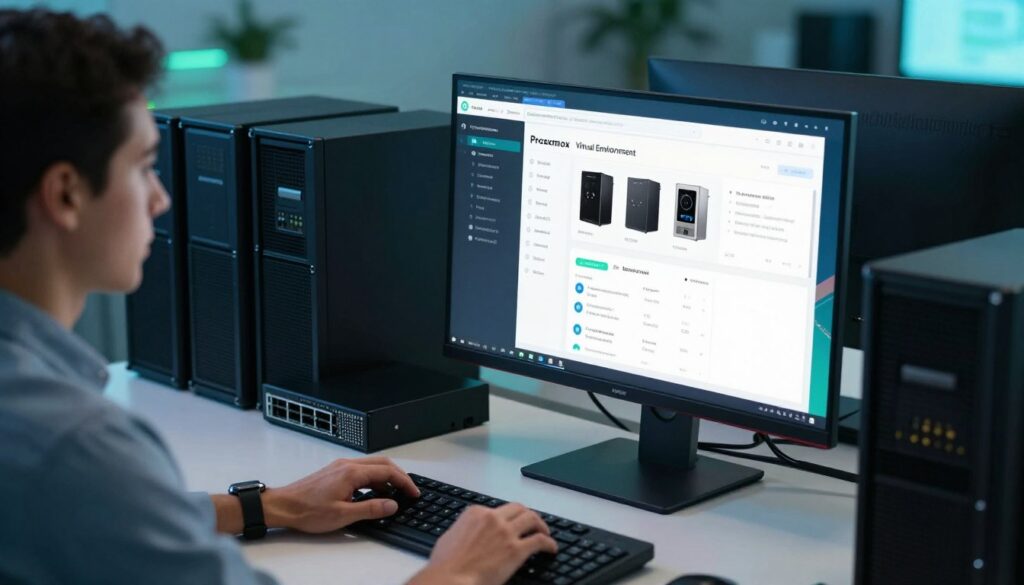
A clean install gives you a web-based control plane for everyday administration. We walk through the prep work. Firmware checks. Disk layout. Network ports. An update approach that fits your change control policy.
Installation preparation and update approach
Verify server firmware and drives. Reserve a dedicated management NIC or VLAN. Confirm DNS and gateway reachability.
Pick an update cadence that matches your change window. Test patches on a staging host. Document rollback steps.
Accessing the web portal
Open a browser to https://<host>:8006. Validate the certificate. Use an admin jump host or an admin VLAN for management access. This ensures safer access proxmox and reduces risk.
First-run configuration and admin hygiene
Set datacenter defaults. Pick a clear host name. Enable NTP to avoid time drift.
Choose an auth realm that fits your org. Options include Linux PAM, built-in PAM, LDAP, Microsoft AD, or OpenID.
Note: some directory credentials may be stored in clear text. Protect the host filesystem and limit file access.
Operational tips
- Enforce MFA for admin accounts.
- Keep local admin users minimal.
- Lock management to an admin network and a jump host.
Create and Manage Virtual Machines and Containers
Good configuration choices up front keep migration and growth simple. We set defaults that make daily management predictable. You get repeatable builds. Less firefighting. Faster onboarding for admins.
VM setup essentials
CPU choices: pick cores, sockets, NUMA, affinity, and CPU type to match workload needs. These settings affect performance and migration compatibility.
Memory: right-size RAM. Enable memory ballooning for Linux guests to reclaim unused memory when safe. Ballooning is flexible. It is not a replacement for capacity planning.
Container configuration and persistence
LXC containers keep persistent data across reboots. Know what lives on the container disk and what maps to external storage.
Pro versions include OCI registry support. That lets you pull container images from public and private registries. Application container support is Technology Preview. Use registries to standardize images.
Images, templates, and workflow
Make images and templates part of a repeatable workflow. Standard builds reduce drift. They speed provisioning and make audits simple.
Store definitions as files under /etc/pve. That helps troubleshooting and scriptable automation.
Live migration awareness
CPU type matters for live migration. Choose a compatible CPU type to keep machines mobile. Plan for migration compatibility when you design hosts.
- We create your first virtual machine with production-ready defaults.
- We explain ballooning simply.
- We configure LXC with storage persistence in mind.
- We standardize images and templates for speed and safety.
| Area | Key setting | Why it matters |
|---|---|---|
| CPU | Cores, sockets, CPU type, NUMA | Performance and live migration compatibility |
| Memory | Right-size, ballooning | Density and flexibility for Linux VMs |
| Storage | Container disk vs external mounts | Persistence and backup planning |
| Images | Templates and OCI registries | Speed provisioning and standardization |
Configure Networking: Bridges, Bonds, and SDN for Virtual Environments
Network design is the backbone of uptime and secure access in any data center. We pick practical foundations. Then we add resilience and segmented access. This keeps management simple and dependable.
Host networking foundations
Linux bridge fits straightforward setups. It is simple to manage and maps directly to switch ports.
Open vSwitch suits advanced switching patterns. Use it when you need flows, tunnels, or integration with SDN controllers.
High-availability networking
Bond NICs for redundancy. One port fails. Traffic stays up. This improves availability and preserves guest access.
Cluster-wide SDN concepts
Zones define behavior. VNets create segments. Subnets define addressing. After you make a VNet at datacenter SDN level, it appears as a common Linux bridge on each node. Assign it to VMs and containers during creation or later without rebuilding.
Zone types and when to use them
- Simple — isolated networks with source NAT for test and management islands.
- VLAN / VLAN Stacking — use when physical switches support 802.1Q or 802.1ad.
- VXLAN — overlay for L2 over L3 transport across sites.
- EVPN — VXLAN with BGP for routed multi-site patterns.
| Feature | When to choose | Benefit |
|---|---|---|
| Linux bridge | Simple host networking | Low complexity. Easy troubleshooting |
| Open vSwitch | Advanced switching and overlays | Flexible flows and SDN integration |
| Bonding | Production hosts needing fault tolerance | Higher availability and throughput |
| SDN VNet | Cluster segmentation and overlays | Consistent bridging across nodes |
Plan changes carefully. Cluster-wide networking updates push to all member hosts. Schedule maintenance windows. Validate settings on a test host first.
Set Up Storage for Performance, Snapshots, and Scale
Start with outcomes: fast I/O, reliable snapshots, and an easy growth path.
We map disk formats to business needs. Use raw for straight speed and low overhead. Choose qcow2 when you want thin provisioning and snapshots. Keep VMDK for compatibility with VMware hosts.
Match backends to workloads
Local disk gives the fastest single-node I/O. NAS (NFS or SMB) offers shared file storage and supports all content types. SAN options like FC and iSCSI suit enterprise needs with stable latency.
iSCSI and reclamation
Present iSCSI LUNs as raw devices when you want fewer layers between guest and disk. Newer releases support UNMAP and thin provisioning on iSCSI and FC. That helps reclaim space and control costs.
Content types and migration
Separate content by purpose. Keep VM images, container images, and backups on targets that match recovery goals. Directory and NAS stores support all content. SAN targets typically host images only.
| Choice | Why | Best use |
|---|---|---|
| raw | Simple. Low overhead. | High-performance machine disks |
| qcow2 | Thin provisioning. Snapshots. | Flexible images and space savings |
| VMDK | Compatibility with VMware | Migration and import workflows |
We document every target. Track capacity. Protect credentials. SMB credentials are stored on the host and require strict host controls.
Build a Cluster for High Availability and Live Migration
Clustering groups servers into a single management plane so services stay online when a node fails.
Cluster basics and shared configuration
A collection of nodes joins to form one cluster. The configuration directory /etc/pve becomes a shared file system. That central file set makes policy and state consistent across the environment.
Corosync and the management plane
Corosync coordinates the cluster. It handles membership and messaging. The web management interface is reachable from any node. You get access and control even if a server is offline.
High availability and automatic restart
Enable HA per workload. The HA manager monitors VMs and containers. If a hosting host fails it restarts services on another host when possible.
“High availability is not a switch. It is a tested process you trust under pressure.”
Affinity and placement
Use affinity groups to keep key systems on preferred hosts. Set priorities. This protects license-bound systems and hardware-dependent services.
Live migration strategy and prerequisites
Migration needs consistent storage and a reliable network. Shared storage and matching interface names reduce surprises. Test migrations for compatibility before relying on them in production.
- Checklist: enable HA per VM, validate restart, test failure scenarios.
- Operational rules: use maintenance mode for upgrades. Stage changes. Keep clear runbooks.
- Placement: apply affinity to match business intent and hardware limits.
| Topic | Action | Why it matters |
|---|---|---|
| Shared configuration | Share /etc/pve across nodes | Central policy. Easier audits and recovery |
| Cluster engine | Use Corosync for coordination | Reliable membership and messaging |
| HA | Enable per workload and test | Reduced downtime and predictable recovery |
| Affinity | Define groups and priorities | Control placement for compliance and performance |
Backups, Restore, and Disaster Recovery for Proxmox Deployments
Protecting data starts with repeatable backups and clear recovery steps. We treat backups as mandatory. If it is not backed up, it is not production-ready.
Built-in workflows and automation
Use the web UI for visibility. It shows job status and history.
Use the CLI tool vzdump for automation and scripting. Schedule jobs to run during low traffic windows. Test the commands and check exit codes.
Storage planning and retention
Designate dedicated backup targets. Keep clear retention policies. Measure restore times and document them.
Define RPO and RTO. Then align frequency and retention to those targets. Test restores regularly.
Offsite protection and ecosystem options
Store copies offsite to reduce disaster risk. Air-gapped or remote targets lower exposure.
Consider a backup server for tighter integration. Third-party tools like Veeam (v12.2 and later) now support restoring to this host model.
- We make backups non-negotiable.
- We schedule and test restores.
- We choose dedicated storage and offsite copies.
| Method | Target | Frequency | Why it matters |
|---|---|---|---|
| UI job | NAS or backup server | Daily / hourly for critical VMs | Visibility and quick restores |
| vzdump CLI | Dedicated LUN or backup server | Scheduled via cron or scheduler | Automation and repeatability |
| Offsite copy | Remote site or cloud storage | Daily or after every full backup | Disaster resilience |
| Third-party | Veeam or backup server | As policy requires | Cross-platform recovery options |
Operations, Monitoring, and Ongoing Administration

Ongoing operations focus on visibility, automation, and secure access. We build day‑2 processes that keep systems measurable and accountable.
Built-in monitoring and summary views
The web interface provides object summary pages for datacenter, host, VM, container, and storage. Each page shows status, CPU, memory, and I/O metrics.
These summaries let you spot trends fast. They speed troubleshooting and daily management.
Exporting metrics for long-term trends
Send performance data to InfluxDB or Graphite for retention and alerting. External metrics give historical context. They power dashboards and automated alerts.
Identity, roles, and access control
Lock down access with Linux PAM, LDAP, Microsoft AD, or OpenID. Assign roles and resource pools to enforce least privilege. Keep user lists small. Audit changes regularly.
Automation, APIs, and multi-cluster management
Use the REST API for repeatable workflows and integration with your IT tools. For multi-cluster operations, a datacenter manager provides a single pane to move workloads and manage backup servers.
Support and lifecycle planning
Match subscriptions and enterprise repos to your risk tolerance. Training and vendor support shorten recovery times and simplify upgrades.
| Object | Summary view | Key metric |
|---|---|---|
| Host | Node health and logs | CPU, mem, disk I/O |
| VM / Container | Status and console | Latency and throughput |
| Storage | Capacity and usage | IOPS and free space |
Conclusion
Wrap up with pragmatic checks that keep systems predictable under stress.
We recap a clear path. Plan first. Perform a clean installation. Operate with intent and repeatable processes.
We reinforce the business value. An open-source software stack you can size, secure, and scale for U.S. operations. Add subscription support when you need it.
Focus on core pillars. Network design. Storage choices. Identity and access. Backups and HA-minded configuration. Consistent settings and documented configuration matter most.
Start small. Validate one environment. Test restores. Then expand into clusters and advanced workflows. With careful installation and disciplined use, this approach delivers durable infrastructure and predictable results.
FAQ
What is Proxmox VE and why should we consider it for our data center?
Proxmox VE is an open-source virtualization platform that combines KVM/QEMU and LXC on a Debian-based host. We get a unified management plane for VMs and containers. Expect enterprise features such as high availability, live migration, snapshots, and backup tooling. It reduces licensing costs and boosts infrastructure efficiency. The result. Better consolidation of Windows and Linux workloads with predictable performance and operational control.
How does a Type-1 hypervisor setup work on a Debian-based host?
The platform runs directly on the host kernel and exposes KVM for full VMs and LXC for lightweight containers. We recommend dedicated CPU cores, NUMA-aware sizing, and proper memory allocation. This design delivers near-native performance and flexible isolation for mixed workloads.
How do we plan hardware sizing for CPU, memory, and disk?
Start with workload profiles. Allocate CPU cores and sockets to match application licensing and threading. Size RAM to peak needs plus headroom for ballooning and caching. Choose disk types and RAID that match I/O patterns. Factor in growth. Plan single-node proof-of-concept then scale to cluster-ready architecture for redundancy and HA.
What are the steps to install and access the web management interface?
Prepare the host OS and apply updates. Boot the installer and select the storage layout. After install connect to the web portal on port 8006 using HTTPS. Use a secure admin account. Complete datacenter settings, host naming, and time sync before creating production workloads.
How should we secure administrator access and authentication realms?
Use strong passwords and role-based access. Integrate with LDAP or Microsoft AD for centralized identity. Enable two-factor authentication where available. Keep admin accounts separate from service accounts. Regularly review permissions and logs.
When should we choose a VM over a Linux container?
Choose full VMs for Windows workloads or when kernel isolation is required. Use LXC containers for Linux-native services that need minimal overhead. Containers give higher density and faster provisioning. VMs provide broader compatibility and stronger isolation.
What are the essentials for VM disk configuration and image management?
Pick the right disk format. raw offers best performance. qcow2 supports thin provisioning and snapshots. Use templates and cloud-init for fast provisioning. Keep image repositories organized. Test import workflows from vSphere or other hypervisors before migration.
How does live migration work and what breaks mobility?
Live migration moves running VMs between hosts with minimal downtime. CPU feature differences and incompatible devices can prevent migration. Use compatible CPU type settings and shared storage or migration-compatible storage backends. Verify network and storage accessibility across hosts.
What network models should we use: Linux bridge, Open vSwitch, or SDN?
Use Linux bridge for simple setups. Choose Open vSwitch for advanced switching, VLANs, and integration with SDN. For multi-tenant or large clusters implement SDN zones, VNets, and VXLAN/EVPN where needed. Bond NICs for redundancy and higher throughput.
How do we assign networking to guests during creation?
Select a bridge or VNet when creating the VM or container. You can modify the NIC and bridge assignment later through the web interface or API. Ensure VLAN tagging and MTU settings match backend switches and SDN zones.
Which storage backends are recommended for performance and snapshots?
Local SSDs or NVMe give best latency. For shared storage use NFS or SMB for simple NAS. Choose SAN options like FC or iSCSI for block-level performance and advanced features. Enable thin provisioning and snapshot-capable formats for efficient backups and quick rollbacks.
What are iSCSI considerations and UNMAP support?
Present LUNs as raw devices for best performance. Ensure your storage array supports UNMAP and that the host and guest handle TRIM properly. Test LUN alignment and multipathing. Monitor latency and throughput closely.
How should we size backup targets and plan retention?
Separate backup content targets from primary storage. Size backups for full and incremental retention windows. Factor in compression and deduplication when possible. Keep a clear retention policy to balance recoverability and storage costs.
What options exist for offsite protection and disaster recovery?
Store backups offsite or to a secondary region. Use a dedicated backup server solution for efficient incremental backups and fast restores. Consider third-party tools like Veeam for additional features. Test restores regularly to validate your DR plan.
How do we build a cluster and enable high availability?
Join nodes to form a cluster and let them share /etc/pve configuration. Use Corosync for cluster messaging. Define HA groups and assign VMs or containers to HA. Validate quorum rules and fencing to prevent split-brain scenarios.
What factors affect placement and affinity groups?
Use affinity to keep workloads on preferred hosts for licensing or hardware locality. Anti-affinity helps spread critical services across failure domains. Consider storage locality and network topology when designing placement rules.
How do built-in backups work and what tools are available?
Use the UI or CLI to schedule backups with vzdump. Choose snapshot-based or stop-mode backups depending on guest capabilities. Automate retention and rotation. For enterprise-grade backups use the vendor’s backup server or integrate third-party solutions.
What monitoring and telemetry should we enable for ongoing operations?
Use the built-in node and VM dashboards for quick health checks. Export metrics to InfluxDB or Graphite for long-term trending. Track CPU, memory, disk I/O, and network metrics. Set alerts for resource contention and node failures.
How do we integrate identity, roles, and permissions?
Configure PAM, LDAP, or Microsoft AD for centralized authentication. Create roles with least privilege. Use resource pools and permissions to control access by team or project. Audit changes and rotate keys routinely.
What automation and API tools can help at scale?
Use the REST API for provisioning and orchestration. Combine with configuration management and CI/CD pipelines. For multi-cluster administration use Proxmox Datacenter Manager or similar tools to centralize visibility and policy enforcement.
When does it make sense to buy a subscription or enterprise support?
Purchase support when you need guaranteed updates, stable enterprise repositories, and technical assistance. Subscriptions reduce operational risk. They matter for production environments with strict SLAs and when vendor guidance accelerates recovery.