

We built this resource to help you run reliable data centers. This hub is a practical reference. It focuses on repeatable outcomes for U.S. IT teams.
Expect clear guidance on uptime. Control. Auditable changes. Predictable operations. We define enterprise-grade in plain terms. No theory. Just usable steps.
At the core is PVE. It is Debian-based and open source. It supports KVM for virtual machines and LXC for containers. The platform includes a web interface and a mobile app.
We map the major pillars you will rely on. Storage. Backup. Cluster operations. Migration. Networking. Security. Each section aims to support daily tasks and long-term scaling.
We also help you choose the right path. Size of environment. Risk tolerance. Service needs. Version notes are included. Feature behavior can change over time. Especially around snapshots and SDN.
Key Takeaways
- This hub is a practical guide for operators and managers.
- PVE unifies VMs and containers on a Debian platform.
- Focus on uptime, control, and auditable changes.
- Major pillars: storage, backup, cluster, migration, network, security.
- Choose paths by environment size and risk tolerance.
- Version differences matter. Watch snapshots and SDN behavior.
What Proxmox Virtual Environment Is and Why It’s Enterprise-Ready
Operators get a single control plane that unifies compute, storage, and network tasks. This reduces handoffs. It speeds troubleshooting. It lowers change-window risk.
Hyper-converged infrastructure, in practical terms. Compute. Storage. Network. Managed together. That approach fits U.S. data centers with limited racks, tight power budgets, and strict compliance windows. It lets you consolidate servers and provision machines faster.
Two virtualization types matter.
Hyper-converged infrastructure basics for U.S. data centers
- KVM provides full isolation for high-risk workloads. Use it for critical machine instances.
- LXC offers efficient containers for dense, lower-overhead workloads.
- Both technologies are available through one web-based interface for fewer errors and faster ops.
Open-source licensing and ecosystem overview
AGPLv3 licensing means transparency and long-term control. It is an option that favors auditability and community-driven fixes.
Active community tooling and documented integrations give you practical options for automation and support as scale increases.
How to Use This Proxmox Wiki Resource Hub
We organize guidance around the workloads you run every day. Start with what you operate. Then follow the path built for that workload.
Find the right guide by workload.
- Virtual machine lifecycle. Provision. snapshot. backup.
- Container lifecycle. Template use. image management.
- Cluster operations. Node roles. governance and recovery.
When to use the GUI, CLI tools, and API
The web interface gives fast visibility. Use it for single-host changes. It helps teams learn the platform quickly.
CLI tools like pvesm win for repeatable scripts. They make bulk changes safer. They keep an audit trail.
APIs are the right option for automation. Use them for self-service portals and CI/CD flows. They scale across many nodes.
| Task | Best Access | Why |
|---|---|---|
| Single host change | GUI | Fast. Low risk. Good for onboarding. |
| Bulk config or storage changes | CLI tools | Repeatable. Scriptable. Audit-friendly. |
| Integration and automation | API | Scales across cluster. Enables self-service. |
Operational cues. If you change one host use the GUI. If you change ten use CLI or API. Read order for busy teams: storage first. backup second. then cluster and migration.
Core Virtualization Concepts in Proxmox VE
Understanding how guests map to resources cuts operational risk and speeds provisioning. We define the guest model first. A guest is an encapsulated workload. It is either a full virtual machine or a container. The choice changes patching, tooling, and recovery steps.
KVM architecture and QEMU tooling
The hypervisor runs the virtual machine. Each VM maps to a QEMU process. That process exposes virtual hardware surface area. You see virtual CPU, memory, NICs, and storage controllers.
QEMU tools handle imports and disk formats. They control device models and tuning levers for performance. Use them for conversions and careful I/O tuning.
LXC containers and density tradeoffs
Containers share the host kernel. They win on density. Start times are fast. Resource overhead is low. They scale quickly for stateless services.
When not to use containers: strict isolation needs. Kernel feature gaps. Some vendor-supported apps.
Guest management: templates, images, and hardware options
Standard images and templates reduce drift. They speed provisioning. You get repeatable builds and fewer incidents.
- Hardware options: CPU type, memory, NIC model, storage controller, boot mode, TPM.
- Tool choices: import utilities and device model selectors matter for compatibility.
| Concept | Why it matters | Typical option | Outcome |
|---|---|---|---|
| Guest type | Defines isolation and kernel ownership | VM or container | Predictable supportability |
| QEMU tooling | Disk format and device control | qcow2, raw, virtio | Optimized performance |
| Templates & images | Standardize builds | Golden image | Faster provisioning |
| Hardware options | Tune for workload | CPU type, NIC model, TPM | Cleaner upgrades |
Proxmox Web Interface, Mobile Access, and Day-to-Day Operations
Daily operations live in the interface. Fast checks and safe changes matter.
Think in the UI tree. Start at datacenter. Drill to node. Then open the guest. Each level controls scope. Datacenter for cluster settings. Node for host state and local logs. Guest for consoles, backups, and device settings.
Navigating tasks, logs, search, and monitoring
The task model reports queued work and failures. Check task status first. It shows start time, progress, and errors.
Rely on node logs, guest logs, and cluster signals to cut mean time to resolve. Look for repeated errors. Correlate timestamps across logs.
Search and filters save time. Find by name, VMID, node, or tag. Use tags for services and team ownership.
Monitoring graphs show CPU ready, IO spikes, and memory pressure. Use them to spot contention before incidents grow.
Mobile access and user guardrails
Mobile access suits approvals and quick checks. Use it for incident triage. Avoid deep changes on mobile.
Guardrails matter. Enforce least privilege. Map roles to tasks. Keep audit logs enabled. Make small changes. Validate fast. Document outcomes.
Installation and Provisioning Guides
Choose the right installer path to match how and where you build servers. We help you pick an installer option for remote hands, colocation, or serial-console only installs.
GUI installer vs TUI installer. Since version 8 the ISO includes a GUI and a semi-graphic text-based installer. Serial console readiness improved in 8.1. Validate console baud, keyboard layout, and network bring-up. The GUI is fast for hands-on work. The TUI is reliable for serial-only access.
Automated and scripted installations
Automated installs are supported from 8.2. We recommend scripted provisioning for scale. It enforces consistent disk layouts, network defaults, and naming conventions.
- Baseline: partition scheme, RAID or ZFS layout, mgmt network, hostname template.
- Blueprint: when to standardize. when to allow hardware overrides.
- Post-install: updates, repository config, time sync, and basic hardening.
| Choice | When to use | Impact |
|---|---|---|
| GUI installer | Local hands-on | Faster manual setup |
| TUI installer | Serial console only | Reliable headless installs |
| Scripted install | Scale and audit | Repeatable configuration |
Why this matters. Install choices change backup speed, migration options, and downtime risk. Build automation early to protect tight U.S. change windows.
Cluster Fundamentals: Nodes, Quorum, and pmxcfs
Clusters succeed when each node has a defined job and settings stay in sync. We manage multiple nodes under one control plane. That reduces surprises during maintenance. It also keeps configuration consistent across your system.
Node roles and how configuration propagates
Not every node is identical. Some run services. Some host storage. Some act as failover targets.
Configuration changes are written once and propagated. The cluster distributes them to every node. Avoid manual edits on a single node. Manual drift causes conflicts and outages.
pmxcfs and why /etc/pve is special
pmxcfs is the clustered file layer that holds the shared config. It presents a unified /etc/pve across nodes.
This file system ensures the same configuration file view on each node. That consistency matters for automation. It also reduces human errors during changes.
Quorum, split-brain, and practical planning
Quorum prevents split-brain. A majority of voting nodes must agree. Plan failure domains accordingly.
During maintenance, validate quorum first. If you lose majority, services can stop. Use fencing and maintenance windows to avoid surprises.
Operational best practices for node lifecycle
- Adding nodes: name consistently. Align time sync. Verify network and storage alignment. Grant minimal access.
- Removing nodes: evacuate guests. Cleanly remove from cluster. Reclaim storage and DNS entries.
- Maintenance: use rolling upgrades. Test failover paths. Monitor quorum and system logs.
| Topic | Action | Why it matters |
|---|---|---|
| Node naming | Consistent pattern (site-role-number) | Easier scripts. Clear ownership. |
| Time sync | NTP or chrony on every node | Prevents split decisions. Keeps logs correlated. |
| Config changes | Make via control plane only | Avoids drift. Ensures replication. |
| Decommission | Evacuate. Remove. Verify storage cleanup | Prevents orphaned resources and downtime |
High Availability with HA Manager and Corosync
A strong HA plan limits downtime and makes recovery routine, not chaotic. We present HA in business terms. Lower downtime. Controlled recovery. Predictable behavior under pressure.
How HA resources work. The HA manager marks a guest as critical. It monitors that guest. If a node fails the manager triggers a restart on another suitable node. For both virtual machine and container guests this reduces manual steps and speeds recovery.
Failure scenarios and automated recovery behavior
- Node down: HA attempts restart on another node with capacity.
- Storage loss: HA may not restart until storage is available. Expect manual validation.
- Network partition: Corosync decides membership. Split-brain prevention may block restarts until quorum returns.
“Reliable messaging and membership are non-negotiable. Corosync handles that layer for the cluster.”
Cluster resource scheduling considerations
Capacity planning matters. Avoid recovery storms. Use affinity rules to keep related services together. Use anti-affinity to prevent noisy neighbor collisions.
Operational controls and service mapping
Use maintenance mode for planned work. Test failovers in a staging cluster first. Map RTO and RPO to HA choices. If your service needs sub-minute recovery choose stricter HA options and reserve capacity on nodes.
| Focus | Action | Why it matters |
|---|---|---|
| Manager settings | Mark critical guests and set restart limits | Controls automated behavior |
| Nodes | Reserve capacity and time sync | Prevents failed restarts and split-brain |
| Services | Define ownership and affinities | Reduces recovery contention |
Live Migration and Minimal-Downtime Maintenance
Live migration keeps services running while we move workloads between healthy nodes. It is the primary tool for patching, hardware swaps, and capacity tuning without major business impact.
Live migration inside a single cluster with shared storage
Shared storage is the golden rule. When nodes can see the same disk images, migration only transfers memory and state. That cuts time and avoids large data copies.
Prerequisites are simple. Consistent network paths. CPU compatibility. Storage visibility. Proper permissions.
Cross-cluster and remote migration foundations
Cross-cluster migration is available as a CLI-driven option starting in recent releases. It enables remote moves. Expect constraints. You may need staged transfers. Confirm tooling versions and authentication before you migrate.
Network and MTU pitfalls that can break migrations
Network mismatches cause many failures. MTU differences. Firewall rules. High latency. Misconfigured jumbo frames. These break live migration or slow it to a crawl.
- Validate MTU end-to-end.
- Open migration and management ports in firewalls.
- Test latency under load.
Maintenance playbook and risk reduction
We follow a short playbook. Migrate. Patch. Validate. Return. Document each step. Repeat across nodes in small batches.
Test migrations during calm times. Run rehearsals. That reduces surprises during real maintenance and meets enterprise expectations for minimal downtime.
Storage Overview: File System vs Block Storage Choices
Storage choices shape recovery, performance, and daily operations. We present a clear decision framework so you pick the right file-level or block-level type for each workload.
File-level options and when to use them
File systems are simple to manage. Use directory storage for local simplicity. Choose NFS or CIFS for shared access across nodes. Pick CephFS for distributed file scale. Use ZFS when snapshots and clones matter.
Block-level options and their strengths
LVM and LVM-thin give local raw performance. iSCSI provides SAN-style block access. Ceph/RBD adds replication and resilience. ZFS over iSCSI combines ZFS features with shared block access.
Operational considerations
Shared storage changes everything. It enables faster live migration and shorter maintenance windows. Thin provisioning increases density. But over-provisioning risks IO errors when volumes fill.
Snapshots and qcow2 work well for testing and clones. Watch chain depth. Deep chains slow performance. Newer snapshots as volume chains simplify recovery and reduce metadata drift.
| Category | Good for | Tradeoff |
|---|---|---|
| File | Easy sharing, simple ops | Lower raw IO |
| Block | High performance, SAN features | More management overhead |
| Distributed | Resilience and scale | Network dependence |
Storage Configuration Deep Dive: /etc/pve/storage.cfg and pvesm
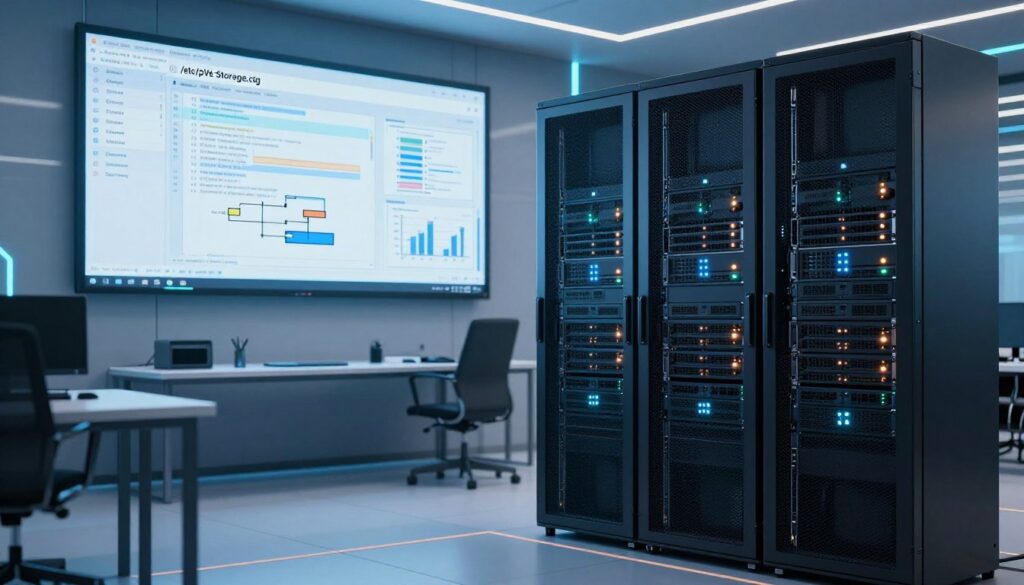
A single misconfigured storage entry can ripple into host outages and failed migrations. We treat storage configuration as the cluster’s source of truth. It lives in /etc/pve/storage.cfg and is distributed to every node.
Storage pools, types, and content
Storage pools have a type and an ID. Common properties include nodes, content, shared, disable, prune-backups, format, and preallocation.
- Content types: images, rootdir, iso, backup, vzdump, snippets.
- Shared: means many nodes can access the same volume. It changes behavior for migration and locks.
Volume IDs and ownership
Each volume has a volid. Ownership ties a volid to a VM or container. Deleting a volume without checking ownership risks data loss. Always confirm volid owners before removal.
pvesm CLI workflow
Use the pvesm tool for consistent actions. Core commands: add, set, list, alloc, free, path.
| Command | Purpose | When to use |
|---|---|---|
| pvesm add / set | Add or modify a pool | Onboarding new storage |
| pvesm list / path | Inspect pools and paths | Troubleshooting and audits |
| pvesm alloc / free | Reserve or release volumes | Automated provisioning and cleanup |
Avoiding aliasing and shared LVM gotchas
Aliased definitions can create duplicate volids that reference one image. That silently raises operational risk. Remove duplicates and keep IDs unique.
Shared LVM storage has cluster-locking quirks. Locks work inside a single cluster. They break if you attach the same back-end to different clusters. Test locking behavior before production use.
Portal thinking for teams
Treat storage changes like requests to a portal. Require a ticket. Document the pool, content types, and node access. That keeps changes repeatable and auditable.
Backup Strategy with vzdump and Proxmox Backup
A well-designed backup approach limits data loss and simplifies recovery.
We define backup goals first. Business continuity. Ransomware resilience. Fast recovery. Compliance alignment. Keep goals simple. Map each guest to an RPO and RTO.
vzdump fundamentals
vzdump performs full guest exports. It handles VMs and containers. Use it for scheduled backups and quick restores. Validate backups regularly. Test a restore to confirm integrity.
Proxmox Backup Server integration
Integrate with Proxmox Backup Server for dedup and centralized management. Connect via the GUI or the backup client. This reduces storage use and simplifies retention policies.
Retention and prune-backups
Define simple tiers. Short-term daily. Mid-term weekly. Long-term monthly. Set prune-backups in storage.cfg to enforce predictable storage usage.
File restore workflows
File restores are common. Use single-file recovery when a user deletes a file. Use full restore for corrupt file systems. Document each scenario in your runbook.
- Quarterly restore drills.
- Random sample restores monthly.
- Document steps and time-to-recover.
| Focus | Action | Benefit |
|---|---|---|
| Guest backup tool | vzdump or backup client | Consistent exports and restores |
| Centralized storage | Proxmox Backup Server | Deduplication and management |
| Retention | prune-backups in storage.cfg | Predictable capacity use |
| Testing | Regular restore drills | Validated recoverability |
Snapshots, Volume Chains, and Modern Recovery Options
Fast recovery starts with clear rules for snapshots and how layered volumes behave. We need both quick restore points and durable backups. Snapshots are fast. Backups are portable.
Snapshots versus backups and the new volume-chain option
Snapshots capture state instantly. They reduce downtime for short fixes. Backups protect against site loss and corruption. Use both.
Snapshots as volume chains create layered volumes. Each layer is a delta. That reduces copy time. It also changes how you prune chains and measure performance.
What changed in version 9 and machine compatibility
Since version 9 this feature arrived as a tech preview for VMs. It requires careful testing. PVE 9.1 added qcow2 TPM state support for file storage snapshots. Volume-chain snapshots need a newer QEMU machine version (10+) to enable full behavior.
Offline snapshots and service-safe practices
- Use offline file-level snapshots when you need application-consistent state and can accept downtime.
- Quiesce apps. Use the guest agent. Schedule change windows.
- Verify restores in staging. Document retention so chains do not degrade performance.
“Validate snapshot chains in staging. Chains grow. Prune them on schedule.”
| Use case | Snapshot type | Why |
|---|---|---|
| Quick rollback | Volume-chain snapshot | Fast delta restore, low time to recover |
| File-level consistency | Offline qcow2 snapshot | App-consistent state, acceptable downtime |
| Long-term archive | Backup export | Portable and resilient across storage |
Networking and SDN: Building Reliable Virtual Networks
Network design is the foundation that determines how reliably every service runs. A weak network breaks availability. A clear design keeps change windows short. We treat networking as the backbone of uptime.
SDN stack concepts: bridges, VNets, zones, and fabrics
Modern SDN exposes predictable building blocks. Bridges link hosts. VNets group virtual interfaces. Zones implement EVPN-style segmentation. Fabrics carry routes and neighbor state across sites.
Why this matters: these types map to outcomes. Bridges simplify local traffic. VNets isolate tenants. Fabrics enable routed reachability. Pick the right option early.
How firewall and SDN integration improves isolation and control
Integrated policy reduces exceptions. When the firewall and SDN share intent you get consistent rules. Blast radius shrinks. Fewer one-off ACLs. Easier audits.
Operational visibility: connected guests, learned IPs, and interface status
Recent UI improvements surface live state. You can see which guest is on a bridge. You can view learned IPs and MACs in EVPN zones. Fabrics report routes, neighbors, and interface health.
- Gate who can change network and require tickets for risky changes.
- Name and document each interface and VNet before use.
- Standardize IP planning to avoid surprises during migration.
Operational rule: standardize networks early. It saves months when you scale. Keep changes small. Audit every access. That makes the whole system resilient.
Security and Access Control for Proxmox Environments
Identity is the control plane for secure access and reliable operations. We prioritize identity first. Then least privilege. Then auditability. That order reduces risk and keeps services available.
Authentication realms: PAM, LDAP, Active Directory, and OIDC
Choose a realm that fits your existing identity model. Use PAM for local admin tasks. Centralize user directories with LDAP or Active Directory to simplify onboarding and offboarding.
OIDC works well for cloud identity and SSO. Central identity reduces duplicated accounts. It speeds audits and shortens user lifecycle tasks.
Multi-factor authentication options: TOTP, WebAuthn, YubiKey OTP
Start MFA rollout with admins. Expand to operators. Enforce MFA for remote access.
- TOTP is simple and widely supported.
- WebAuthn adds phishing-resistant keys and platform authenticators.
- YubiKey OTP gives hardware-backed assurance for break-glass accounts.
Secure Boot compatibility and hardening considerations
Since version 8.1 the SDN stack is compatible with Secure Boot. Use Secure Boot to strengthen boot chain trust. Combine it with TPM where available.
Hardening checklist: patch cadence, management network segmentation, central logging, protected backups, and role-based access. Treat configuration changes as requests. Require tickets. Log every step.
“Misconfigured access is an outage risk, not just a compliance issue.”
| Focus | Action | Benefit |
|---|---|---|
| Identity | Centralize with LDAP/AD/OIDC | Faster onboarding and audits |
| MFA | Enforce for admins and remote users | Reduces credential risk |
| Network | Segment management and restrict ports | Limits blast radius |
Secure by default. Assume audits. Assume incidents. Build controls now. That stance protects users, the system, and uptime.
What’s New: Recent Proxmox VE Features to Track in the Wiki
We track recent platform changes so your upgrade planning stays practical and low risk.
Proxmox VE 9.1 platform highlights
Release: 19 Nov 2025. Base: Debian Trixie. Kernel 6.17.2-1. QEMU 10.1.2. LXC 6.0.5. ZFS 2.3.4. Ceph Squid 19.2.3.
OCI images and container workflows
9.1 adds OCI image imports for LXC. You can build app-focused templates faster. Environment variable customization and host-managed DHCP help app-container patterns in early production.
Nested virtualization, TPM state, and confidential computing
New fine-grained nested virtualization flags limit exposure. TPM state is now stored in qcow2. That enables offline snapshots that preserve TPM for Windows and modern security baselines.
Note: Intel TDX support appears initial. Some confidential modes may block live migration. Test before you rely on them.
Roadmap and operator-facing themes
Focus areas: SDN stabilization, deeper firewall integration, fabrics, bulk guest management, better notifications, and cluster-wide update controls. These options aim to reduce manual toil and speed scale.
| Area | Change | Operator action |
|---|---|---|
| OCI LXC | App-container templates | Test image imports and DHCP flows |
| TPM & snapshots | qcow2 TPM state | Validate snapshot restores for Windows guests |
| Nested VM | Fine-grained flags, TDX | Enable only where required and test migration |
| Platform | Kernel & tooling updates | Link upgrades to staging validation |
proxmox wiki
We built an action-focused directory. It maps topics to tasks. You find what to run now. Not just concepts.
Quick links by topic
- Storage: setup steps, /etc/pve/storage.cfg examples, pool and shared settings.
- Backup: vzdump workflows, PBS integration, retention and restore drills.
- Migration: live migration checks, cross-cluster strategies, MTU and network prerequisites.
- Cluster: quorum planning, pmxcfs notes, node lifecycle and HA runbooks.
- Network: SDN design patterns, bridge naming, firewall intent and segmentation.
- Configuration: templates, baseline configs, and versioned change records.
Recommended learning paths
Small teams. Start single-node. Enable backups. Learn basic network and storage. Then add a secondary node and practice live migration.
Enterprise operations. Standardize installers. Adopt shared storage. Design HA and SDN. Enforce compliance-grade access controls and runbook reviews.
Operating culture and next steps
Document runbooks. Keep change records. Publish known-good baselines by version.
- Add nodes only after runbook validation.
- Enable HA after capacity and quorum tests.
- Adopt PBS when dedupe and centralized restores matter.
- Introduce SDN when you need segmentation and policy at scale.
“Turn the reference into your operating model library.”
| Trigger | Action | Outcome |
|---|---|---|
| Frequent support tickets | Prioritize backup and snapshot drills | Lower tickets. Faster restores |
| Growth to multiple racks | Standardize storage and enable HA | Predictable failover |
| Strict compliance | Enforce central identity and change records | Auditable operations |
Conclusion
The final checklist centers on storage choices, backup validation, and measured migration planning.
Design shared storage so live migration finishes fast. Avoid over‑provisioning. Overfilled volumes cause IO errors and surprise outages.
Backups are non‑negotiable. Use vzdump or a centralized backup server for dedupe and retention. Validate restores. Protect backup storage. Treat restore drills as required work.
Clusters and nodes only stay reliable with quorum, consistent configs, and active monitoring. Plan for failover. Test HA with Corosync and the HA manager in controlled windows.
Make minimal‑downtime maintenance your default. Migrate, patch, validate, and document. Standardize installers. Record configs. Choose storage intentionally.
We will keep this hub current as features evolve. Return when you add capacity, change storage, or raise availability targets. Use this resource to keep your services stable and predictable.
FAQ
What is the virtual environment and why is it enterprise-ready?
The virtual environment is an open-source platform for running KVM virtual machines and LXC containers at scale. It supports clustered operation, HA, flexible storage backends, and role-based access. We designed it for datacenter reliability. You get predictable performance, strong tooling, and enterprise features without vendor lock-in.
When should we choose a VM over a container?
Choose a VM for full hardware isolation, mixed OS workloads, or when you need Secure Boot and nested virtualization. Choose an LXC container for higher density, faster provisioning, and lower overhead when you run Linux-native workloads. We recommend containers for stateless services and VMs for stateful or heterogenous OS needs.
How do we find the right guide for a workload?
Start by identifying workload type: virtual machine, container, or cluster service. Then follow the targeted guides in the resource hub. Use VM guides for OS tuning. Use container guides for templates and minimal images. Use cluster guides for quorum, pmxcfs, and high-availability planning.
When should we use the web interface versus CLI or API?
Use the web interface for daily operations, visual monitoring, and quick provisioning. Use the CLI for automation, low-level troubleshooting, and scripted installs. Use the API for integration with orchestration tools and custom portals. Each method complements the others.
How does live migration work and what do we need to avoid failures?
Live migration moves a running guest between cluster nodes using shared storage or block replication. Ensure matched CPU compatibility, consistent MTU across paths, and fast network links. Avoid mismatched network MTU, misconfigured VLANs, and non-shared storage unless you use replication-based methods.
What storage types should we consider for production?
Use file-level options like Directory, NFS, or CephFS for simple sharing. Use block-level options like LVM-thin, iSCSI, or Ceph/RBD for high performance and snapshots. ZFS provides integrated checksums and snapshots. Match storage to workload IOPS, latency, and snapshot needs.
How does shared storage accelerate maintenance?
Shared storage lets you migrate guests without moving disks. That reduces downtime during node maintenance. It simplifies HA and disaster recovery. Shared LVM or Ceph/RBD often deliver the fastest migrations when correctly configured.
What are best practices for /etc/pve/storage.cfg and pvesm?
Keep storage IDs unique. Define content types per pool. Use pvesm for add, set, list, alloc, and free operations. Avoid aliased or duplicate volume identifiers. Test changes in a maintenance window to prevent accidental data moves.
How should we plan backups and retention?
Use vzdump or an integrated backup server for regular full and incremental backups. Define retention windows that match RPO and available storage. Automate pruning to avoid runaway storage consumption. Test restores regularly to validate retention policies.
When are snapshots appropriate and what are volume chains?
Use snapshots for short-term rollback during upgrades or testing. On many backends snapshots form volume chains that affect performance over time. Keep chains short. For long-term recovery use proper backups and backup server integrations.
What networking pitfalls break migrations?
Inconsistent MTU, mismatched VLAN tagging, and asymmetric routing often disrupt migrations. Also watch for firewall rules blocking migration ports and overloaded links. Validate network paths between nodes before large-scale migrations.
How does HA manager handle failures for VMs and containers?
The HA manager watches configured resources and reassigns them to healthy nodes when failures occur. It uses fencing and resource constraints. Define HA groups and failover priorities. Test failure scenarios to ensure automated recovery works as expected.
What authentication and MFA options are available?
The system supports PAM, LDAP, Active Directory, and OIDC realms. For stronger security enable TOTP, WebAuthn, or hardware keys like YubiKey. Combine centralized identity with role-based permissions for least-privilege access.
How do we perform automated, repeatable installations?
Use the text installer with preseed or scripted installer profiles for serial and headless servers. Combine with PXE and configuration management to standardize builds. Automated installs reduce human error and speed provisioning for large fleets.
What should we watch for with shared LVM and cluster locking?
Shared LVM needs proper fencing and quorum to avoid split-brain. Use cluster-aware locking and ensure only one node writes critical metadata at a time. Monitor for stale locks and test node removal workflows carefully.
How do we restore individual files or full guests?
Use file-level restore tools from backup images for single-file recovery. For full guest restores use the restore workflows in the GUI or CLI. Verify restored guests on isolated networks before returning them to production.
What recent features should operations teams track?
Track kernel and QEMU updates, ZFS and Ceph enhancements, OCI images for containers, nested virtualization, and TPM support. These features affect performance, security, and new application patterns. Review release notes before upgrading clusters.
Where can we find quick links and learning paths?
The resource hub groups topics by storage, backup, migration, cluster, networking, and configuration. We provide recommended learning paths for small teams and enterprise operations. Follow step-by-step guides to reduce time to value.