

We set the decision context up front. You are evaluating proxmox alternatives because uptime and operational predictability matter more than hobbyist flexibility.
We define what enterprise means in 2026. Consistent management. Repeatable virtualization workflows. Clear support paths. These are must-haves for production datacenters.
Our comparison approach is practical. We baseline Proxmox VE. Then we stack it against VMware vSphere, Windows Server Hyper-V, and Nutanix AHV. We focus on real impact. Not academic feature lists.
Our goal is a shortlist you can defend to finance, security, and operations. We will evaluate workloads. Users. Skills. Infrastructure fit. Risk. Total cost.
We take a hands-on view. We prioritize management impact, virtualization capabilities, storage design, and support realities. You get clear trade-offs and actionable guidance.
Key Takeaways
- We compare platforms for predictable, enterprise-grade operations.
- Decision criteria include workloads, skills, cost, and risk.
- Management and storage design drive long-term success.
- Support paths and SLAs shape operational predictability.
- Outcome: a defendable shortlist for finance, security, and ops.
What Enterprise Teams Need From a Proxmox Replacement in 2026
Choosing the right virtualization platform starts with what your teams actually need today. We focus on practical requirements. Not checkbox features.
Mixed workloads are the norm. You run Windows. You run Linux. You may run legacy appliances. The platform must host all virtual machines and vms reliably. Provisioning speed matters. Faster VM creation means faster projects and fewer manual steps for your team.
High availability is not a checkbox. It is how you meet SLAs when hosts fail or storage degrades. Clustering must provide predictable failover. Clear maintenance modes. Simple quorum rules your on-call staff can trust.
Management and monitoring set the operational bar. Centralized management. RBAC. Identity integration. Audit logs. Metrics and alerting that map to business impact. CPU. memory. IO. network.
Data protection must be measurable. Backup frequency. Restore success. Recovery objectives. Test cadence. Ransomware resilience as a baseline.
Support and maturity close the deal. Clear enterprise support options. Real escalation paths. Stable patch cadence. And total costs that include training, tooling, and downtime risk.
Proxmox VE Baseline: The Feature Set You’re Trying to Match
We map the core technical baseline you must match before swapping platforms.
Architecture and foundation. Debian GNU/Linux. KVM/QEMU for full virtualization. LXC for containers. Bare-metal installer. This matters if your stack favors open tooling and Linux-first operations.
Cluster design. Any node can manage the cluster. No single master. Built-in HA. Fewer admin single points of failure.
Built-in management. Web GUI. CLI. REST API. Automation-friendly. This supports both hands-on admins and CI/CD driven workflows.
Monitoring, security, and lifecycle
Monitoring integrations. InfluxDB. Graphite. External plugins. You can fold metrics into existing stacks without rework.
Security controls. Cluster firewall. IPv4/IPv6. LDAP/AD. Two-factor auth. Granular permissions for compliance.
VM lifecycle and storage. Templates. Clones. Snapshots. Replication. Live and storage migration. Broad storage support: LVM, Ceph/RBD, ZFS, NFS, iSCSI, and backup server integration.
“Match these capabilities and you keep the operational predictability your teams rely on.”
| Area | Key capability | Why it matters |
|---|---|---|
| Base OS | Debian GNU/Linux | Open tooling. Familiar package ecosystem for Linux teams. |
| Virtualization | KVM/QEMU, LXC | Full and OS-level options for mixed workloads. |
| Management | GUI, CLI, REST API | Operational flexibility. Automation-ready. |
| Monitoring | InfluxDB, Graphite | Integrates with existing observability tools. |
| Security | Cluster firewall, AD/LDAP, 2FA | Meets enterprise governance and audit needs. |
Proxmox Alternatives for Enterprise Virtualization and HCI
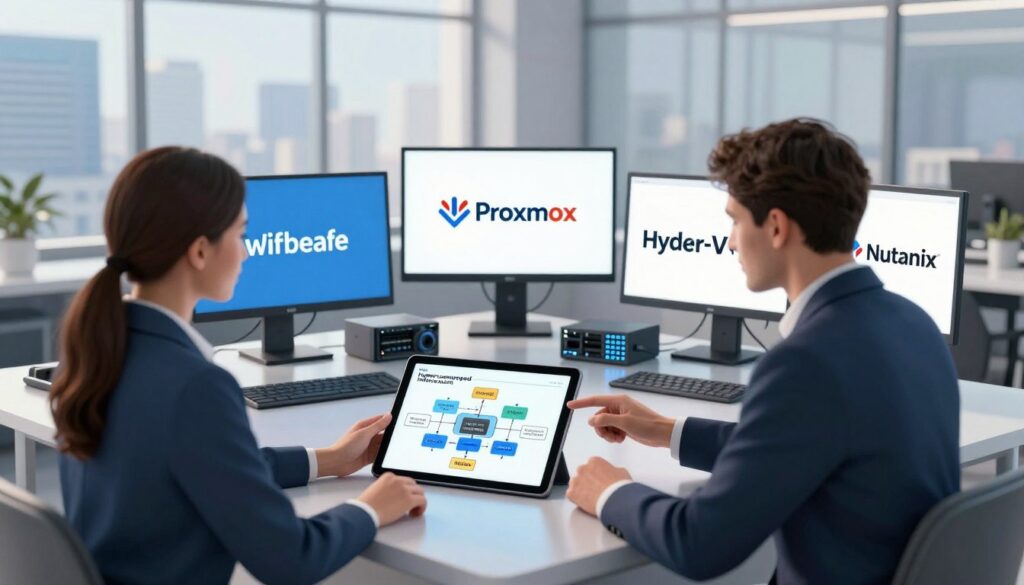
Picking the right replacement comes down to three practical paths. Each path maps to different teams, hardware, and risk tolerance. We present clear trade-offs so you can pick with confidence.
VMware vSphere: mature enterprise virtualization and ecosystem depth
vmware vsphere remains the default for many large shops. It offers a deep third-party ecosystem. Broad integrations. Predictable operational patterns. vSphere fits where established processes and vendor certifications matter.
Windows Server with Hyper-V: Windows-centric organizations
windows server and Hyper-V work best when Windows tooling drives identity and patching. Licensing alignment can cut procurement friction. Choose this path if your users and admins are Windows-first.
Nutanix AHV: hyperconverged infrastructure and integrated operations
nutanix ahv shifts the model to HCI. Storage, compute, and management are integrated. This reduces day-2 complexity. It changes how you scale and how you think about storage design.
How to shortlist platforms based on infrastructure, users, and workloads
Use a repeatable filter. Start with constraints: hardware and network. Map team skills next. Validate critical workloads for performance and migration effort.
- Governance: which platform gives cleaner RBAC and auditability?
- Support: compare SLAs, response times, and escalation paths.
- Migration: plan VM moves and testing. Migration cost matters as much as licensing.
“Shortlist against infrastructure, users, and workloads, not vendor marketing.”
Proxmox vs VMware vSphere: Enterprise Virtualization and Management Interface
We compare the two platforms by what operators notice each day. We focus on management, clustering, migration, monitoring, and support. This is about predictable operations. Not feature lists.
Centralized management changes how you onboard staff. One platform offers a streamlined management interface with quick common tasks. The other favors centralized enterprise workflows and mature role patterns. The outcome: faster onboarding. Cleaner delegation. Better audit signals.
Clustering and high availability must match your SLAs. Consider maintenance windows. Measure failover time. Check quorum behavior. Ask how host failures affect critical virtual machines and vms.
Migration and live migration expectations matter during patching. Verify live move limits across hosts and storage. Confirm storage live migration constraints for shared and distributed storage designs.
Monitoring, automation, and support
Treat monitoring as operations. Ensure metrics flow to your system. Reduce alert noise. Validate APIs and ecosystem integrations. Test what your existing toolchain can drive day one.
“Support and upgrade guidance are where enterprise risk gets priced.”
| Area | Practical check | Why it matters |
|---|---|---|
| Management | UI, CLI, REST API | Onboarding and automation speed. |
| HA | Failover time, quorum | SLA and maintenance confidence. |
| Migration | Live migrate limits | Patching without downtime. |
Proxmox vs Windows Server Hyper-V: Best Fit for Windows Workloads
If your estate runs mostly Windows workloads, alignment with Microsoft tooling cuts day-to-day friction.
Guest OS coverage
Hyper-V handles Windows virtual machines natively. Integration is tight. Licensing and guest tools are familiar to Windows teams.
Mixed OS environments are common. Validate how well Linux and Windows VMs behave side by side. Look for consistent backup, live migrate, and tooling parity.
Identity and access
Make identity central. Active Directory integration is first-class on the Microsoft stack. LDAP and external identity can work, but AD gives the cleanest RBAC and auditing for many organizations.
Permission management should be clear to operators and auditors. Check delegated roles. Confirm audit logging and group-based policy enforcement.
Operational learning curve
If your staff are Windows-first, learning time falls. Patch cadence, update channels, and management workflows match existing skills.
If your team is Linux-first, expect a learning investment. That raises migration risk and may lengthen ramp time.
“Choose the platform that fits your team, your workloads, and your risk tolerance.”
| Decision signal | Hyper-V strength | Other platform strength |
|---|---|---|
| Team skills | Familiar Microsoft tooling. Shorter learning. | Linux-native workflows. Strong CLI and open tooling. |
| Workload mix | Windows VMs with tight guest integration. | Better for Linux-first mixed environments. |
| Identity | AD native. Clear RBAC and audit. | LDAP/AD supported but may need extra config. |
| Support | Vendor support and documented update paths. | Community and commercial support options. |
Storage and Software-Defined Storage: Matching Proxmox Flexibility

Storage is where virtualization success is won or lost. You can recover from many mistakes. Bad storage choices cost uptime and hands-on time.
We benchmark common options you must understand. LVM and LVM-thin give local simplicity. NFS and CIFS offer shared file access. iSCSI gives block-level control. Directory storage works for simple cases.
Enterprise SDS choices
Ceph/RBD scales for resilience. Use it when you need replication and elastic capacity.
ZFS local gives predictable performance and easy snapshots on a node. ZFS over iSCSI combines ZFS features with shared block access.
- HCI trade-off: Nutanix-style integrated storage simplifies ops. It shifts cost and vendor dependency.
- Performance planning: Size computing headroom. Confirm network bandwidth and redundancy. Model IOPS and latency by workload tier.
- Resilience: Define actions for node loss, disk failure, and rebuild. Align them to your recovery objectives.
“Make storage choices that reduce admin time and lower downtime risk.”
| Option | When to use | Why it matters |
|---|---|---|
| LVM / LVM-thin | Simple local hosts | Low overhead. Fast provisioning. |
| Ceph/RBD | Scale-out clusters | Replication. Fault tolerance. |
| ZFS over iSCSI | Shared ZFS features | Snapshots and consistent performance. |
Data Protection and Backup: From Integrated Backups to Live Restore
Backups should buy time, not just disk space. We frame backup as business continuity. That changes priorities. Restore time beats retention counts when services are down.
Use the built-in tools as a baseline. vzdump gives integrated backup/restore for standard images and containers. For larger needs, a dedicated backup server adds advanced features and fast restore capabilities.
Integrated backup and live restore
vzdump handles scheduled snapshots and exports. A dedicated backup server expands dedupe, encryption, and retention. That server also enables Live Restore for critical virtual machines.
Expectations for recovery speed
Decide which vms need near-immediate recovery. Map their RTOs. Test restores under load. Time them. Document the runbook.
Snapshot, replication, and storage migration
Use snapshots for quick point-in-time recovery. Use replication for near-zero data loss across hosts. Use storage live migration to move workloads without downtime during maintenance.
Ransomware resilience and compliance
Build immutable or offline copies. Segment backup networks. Enforce strong access controls. Run routine restore drills and keep audit logs for compliance.
“Backups that sit unused are storage. Restores are protection.”
| Area | Recommended action | Why it matters |
|---|---|---|
| Baseline backup | vzdump scheduled exports | Simple, integrated protection for typical VMs |
| Advanced backup | Dedicated backup server with Live Restore | Faster recovery. Reduced restore windows for business-critical VMs |
| Continuity | Snapshots, replication, storage live migration | Minimizes downtime during failures and maintenance |
| Resilience & compliance | Immutable copies, segmented networks, restore tests | Ransomware defense and audit evidence for compliance |
Multi-Site and Remote Locations: Centralized Management Beyond a Single Cluster
Running workloads across distant locations exposes hidden costs and new failure modes. Latency exists. Bandwidth is limited. Hands-on support is scarce. Your platform must reduce truck rolls and day-two toil.
What we see that works: integrated clustering. Centralized management. Live migration. Unified storage and backups in one ecosystem. That combination makes operational patterns repeatable. It simplifies audits and restores.
What to plan for
DRS style automated balancing is not present today. If you need automated load shifts, plan alternatives. Use Ceph mirroring, scheduled migrations, or runbooks. Treat automation gaps as operational tasks to avoid surprises.
Design patterns for remote environments
- Standardize monitoring across sites. One dashboard. Consistent alerts.
- Segment network traffic by function. Protect management plane and backup lanes.
- Use consistent naming, templates, and RBAC. This improves visibility and reduces mistakes.
Central tooling often pays for itself. Reduced incident time offsets remote costs and improves support outcomes.
Final note: Multi-datacenter management tools give a single pane, consistent patch workflows, and centralized reporting. They reduce operational costs and raise confidence for distributed infrastructure. Choose platforms and support channels that scale with your sites.
Conclusion
Successful migrations begin with a narrow, defendable shortlist and a short proof of concept. We recommend you match workloads, team skills, and recovery targets before locking a choice.
Proxmox sets a high bar in integrated management, flexible storage, and practical virtualization workflows. vSphere fits mature enterprise patterns. Hyper-V suits Windows-first operations. Nutanix AHV simplifies HCI-driven ops.
Next steps. Build a shortlist. Run a POC. Validate migration, backup, restore, and monitoring. Test software-defined storage behavior under realistic load.
Tie support to risk. Price in vendor SLAs, training, hardware refresh, and the cost of outages. With this framework you can pick a platform that improves resilience, reduces admin time, and protects your data.
FAQ
What should enterprise teams prioritize when evaluating a replacement for Proxmox in 2026?
Focus on mixed-workload support, fast VM provisioning, and a hypervisor that scales with your needs. Prioritize built-in high availability and clustering. Look for centralized management, role-based access control, and monitoring integrations. Ensure the platform meets your recovery point and time objectives. Factor in vendor support, community resources, and total cost of ownership.
How do VMware vSphere and Windows Server Hyper-V differ for enterprise virtualization?
vSphere targets mature enterprise environments with a broad ecosystem and advanced management features. Hyper-V integrates tightly with Windows Server and Active Directory and often aligns better with Microsoft licensing and Windows-centric workloads. Choose vSphere for extensive third-party tooling and advanced HA features. Choose Hyper-V for simpler Windows integration and familiar Windows admin skillsets.
Which platforms offer hyperconverged infrastructure and integrated storage similar to Nutanix AHV?
Look at vendors that bundle compute, storage, and management into one HCI stack. Nutanix AHV is a good example of a tightly integrated experience. Other HCI vendors and appliances pair virtualization with software-defined storage and lifecycle operations. Evaluate how each solution handles data locality, dedupe, compression, and operational workflows.
What storage types should we benchmark when replacing Proxmox’s storage flexibility?
Test LVM-thin, ZFS, NFS, iSCSI, and object-backed storage under your workloads. Assess SDS choices like Ceph/RBD for scale-out block storage and ZFS for local resilience. Measure latency, IOPS, throughput, and rebuild behavior. Consider HCI designs where storage is integrated and managed alongside compute.
How important is built-in backup and recovery in a virtualization platform?
Crucial. Integrated backups reduce operational friction and speed restores. Look for snapshotting, efficient replication, incremental backups, and rapid live-restore capabilities. Confirm ransomware protections, immutable backups, and retention controls. Validate recovery time objectives with test restores.
Can we migrate VMs between different hypervisors without long downtime?
Yes. Live migration support varies by hypervisor and requires compatible CPU features and storage access. Tools exist for cold migration, conversion (P2V/V2V), and replication-based cutovers. Plan tests. Account for drivers, guest tools, and networking differences. Expect some manual adjustments post-migration.
What management and monitoring features matter most for multi-site deployments?
Centralized dashboards for inventory and health. Cross-site orchestration for updates and policy enforcement. Role-based access controls and secure multi-tenant boundaries. Distributed monitoring with metrics aggregation and alerting. WAN-aware replication and network segmentation for site isolation.
How do clustering and HA models compare across platforms?
Some systems use active-active clustering where any node can manage workloads. Others rely on control-plane nodes or controllers. Evaluate quorum behavior, failover times, and maintenance workflows. Consider automated fencing, admission control, and how HA integrates with storage replication.
What identity and access options should an enterprise expect?
LDAP and Active Directory integration. SAML or single sign-on for federated identity. Role-based access controls with granular permissions. Multi-factor authentication support. Audit logging and session tracking for compliance.
How steep is the operational learning curve when switching platforms?
It varies. Windows Server Hyper-V often maps to existing Windows skills. VMware requires familiarity with vCenter and its ecosystem. HCI platforms may offer simpler operations but introduce vendor-specific tooling. Budget time for admin training, runbook updates, and pilot projects.
What are the key considerations for performance planning across compute, network, and storage?
Profile your workloads for CPU, memory, disk I/O, and network behavior. Right-size VMs. Plan for network segmentation and QoS. Choose storage with adequate IOPS and consistent latency. Validate performance under peak loads and during rebuilds.
How do we build a baseline data protection strategy for ransomware resilience?
Combine immutable backups, offsite replication, and frequent snapshots. Enforce least-privilege access and MFA for backup systems. Automate verification of backup integrity. Keep a documented recovery plan and test restores regularly.
What support options should we expect from enterprise virtualization vendors?
Multiple tiers. Community resources for open-source projects. Paid support with SLAs for response and escalation. Professional services for migration and design. Access to security advisories and lifecycle roadmaps. Match the support level to your uptime and compliance needs.
How do cost considerations differ between open-source stacks and commercial hypervisors?
Open-source stacks can lower licensing costs but may need paid support for enterprise SLAs. Commercial hypervisors include licensing and support in the price. Consider hardware compatibility, training, migration effort, and long-term maintenance when calculating TCO.
Which tools help automate monitoring and alerting in virtual environments?
Use metrics systems like Prometheus, InfluxDB, or vendor-built telemetry. Integrate with Grafana or other dashboards. Employ automation frameworks for patching and configuration. Leverage APIs and webhooks for custom workflows.
How should teams shortlist platforms based on infrastructure, users, and workloads?
Define technical requirements and business outcomes. Map workloads to performance and availability needs. Evaluate integration with existing identity, backup, and storage. Run proof-of-concept tests. Score vendors on features, support, and costs. Involve operations and security teams in the decision.